
Microsoft Programming in HTML5 with JavaScript and CSS3 (070-480日本語版) - 070-480日本語무료 덤프문제 풀어보기


정답: C
설명: (Fast2test 회원만 볼 수 있음)

정답: A
설명: (Fast2test 회원만 볼 수 있음)


정답: B
설명: (Fast2test 회원만 볼 수 있음)


정답:

Explanation
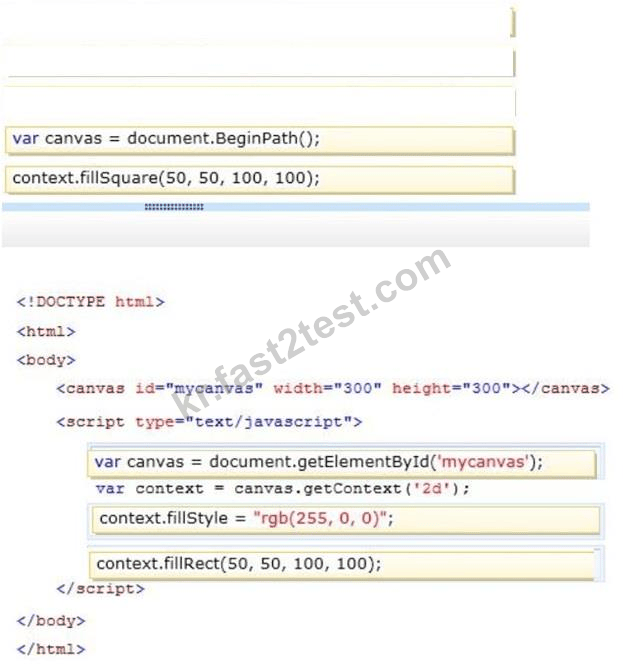
Example:
Drawing with JavaScript
<script>
var c = document.getElementById("myCanvas");
var ctx = c.getContext("2d");
ctx.fillStyle = "#FF0000";
ctx.fillRect(0,0,150,75);
</script>
Reference: HTML5 Canvas
http://www.w3schools.com/html/html5_canvas.asp


정답:

Explanation

* addEventLister mousemove
Use the element.addEventListener() method to attach an event handler to a specified element.
onmousemove: Fires when the mouse pointer is moving while it is over an element
* The clientX property returns the horizontal coordinate (according to the client area) of the mouse pointer when a mouse event was triggered.
Example:
Output the coordinates of the mouse pointer when an mouse event has occurred:
var x = event.clientX; // Get the horizontal coordinate
var y = event.clientY; // Get the vertical coordinate
var coor = "X coords: " + x + ", Y coords: " + y;
The result of coor could be:
X coords: 142, Y coords: 99
Reference: HTML DOM addEventListener() Method; onmousemove Event; MouseEvent clientX Property

정답: A
설명: (Fast2test 회원만 볼 수 있음)

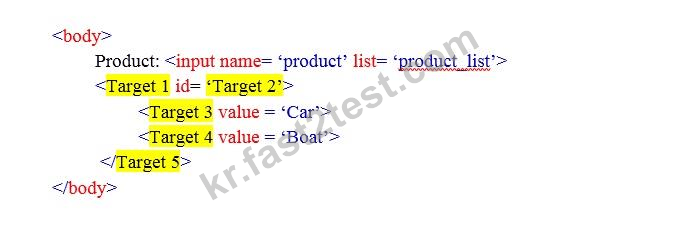


정답:
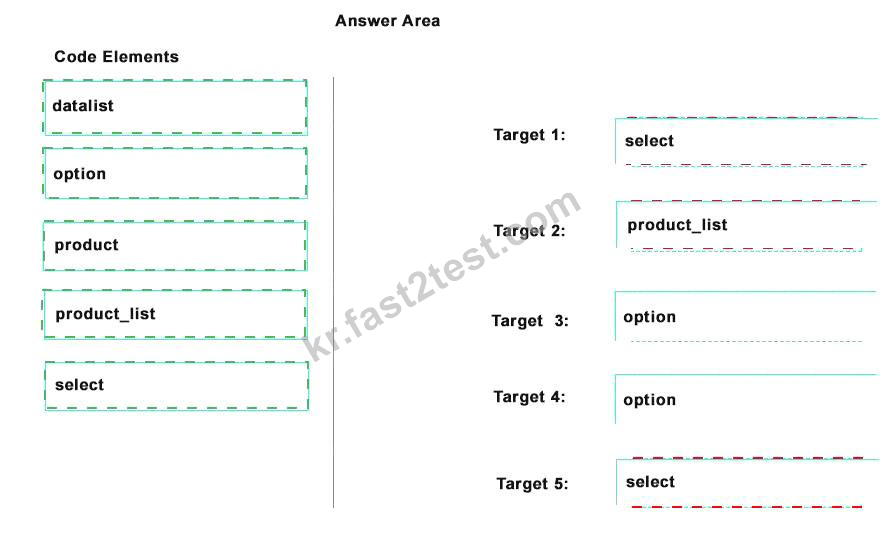
Explanation


정답:
Explanation

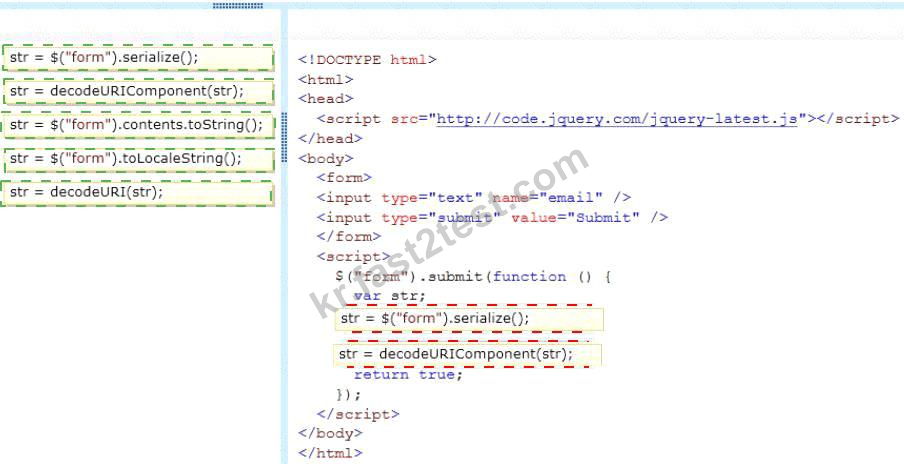
* The serialize() method creates a URL encoded text string by serializing form values.
You can select one or more form elements (like input and/or text area), or the form element itself.
The serialized values can be used in the URL query string when making an AJAX request.
Example: $("form").serialize());
* decodeURIComponent
The decodeURIComponent() function decodes a URI component.
Return Value:A String, representing the decoded URI
Incorrect:
Not decodeURI:
decodeURI is intended for use on the full URI.
decodeURIComponent is intended to be used on .. well .. URI components that is any part that lies between separators (; / ? : @ & = + $ , #).
Reference: jQuery serialize() Method



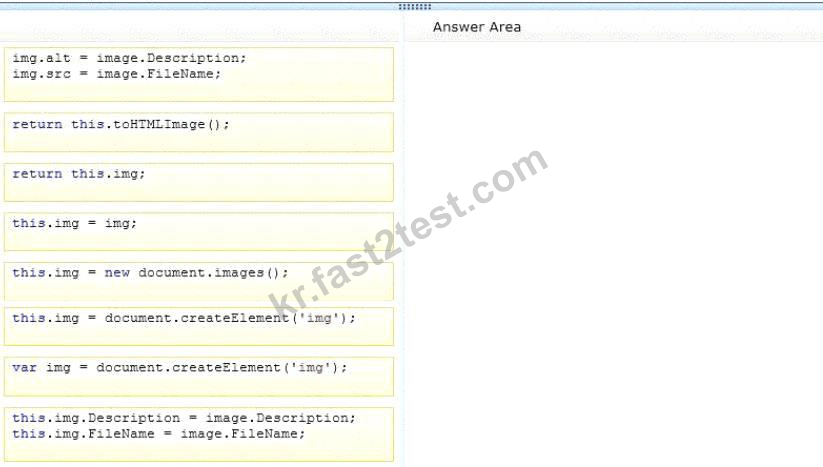
정답:

Explanation
Box 1: var img = document.createElement('img');
Box 2: img:alt = image.Description;
img src = image.FileName;
Box 3: return this.img;
Note:
* Image Object
The Image object represents an embedded image.
For each <img> tag in an HTML document, an Image object is created.
Notice that images are not technically inserted into an HTML page, images are linked to HTML pages. The
<img> tag creates a holding space for the referenced image.
* Image Object Properties include
alt, Sets or returns the value of the alt attribute of an image
src, Sets or returns the value of the src attribute of an image


정답: B